A client recently asked us, "I've already picked out my LED panels-what kind of controller should I pair them with?" It might seem like a minor detail, but choosing the wrong one can lead to major headaches-such as discovering that your panels won't sync up, or ending up with a full-blown DMX system when you only have two panels to control.
In this article, we'll break down three common control methods-remote controls, mobile apps, and DMX-covering their features, ideal use cases, and key selection criteria, so you'll know exactly what to look for when making a purchase or planning a project.
First, understand the role of a controller in an RGB LED panel system
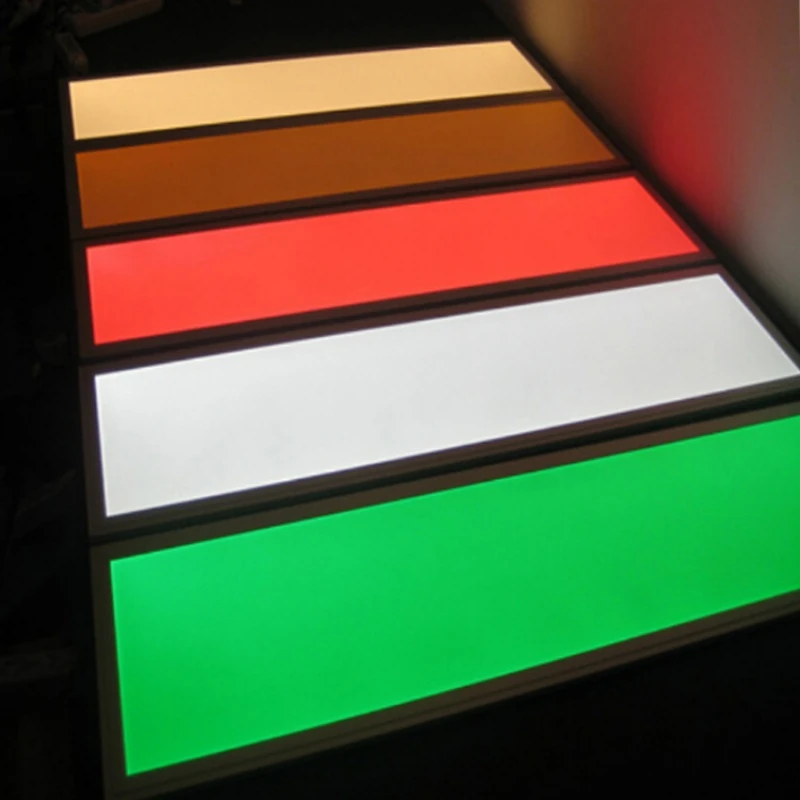
An RGB LED panel is simply a light source; the controller is what sends the commands that dictate its color, brightness, and dynamic effects. A controller typically handles the following:
Adjusting the output of the red, green, and blue channels to mix different colors.
Adjusting overall brightness.
Switching between modes, such as static colors, gradients, color jumps, or "breathing" (pulsing) effects.
Synchronizing multiple panels or organizing them into groups.
In short, choosing a controller is really about deciding how you want to interact with your lights.
Remote Controls: Simple and straightforward, ideal for small-scale setups
A remote control is the most accessible option-it's intuitive and requires virtually no learning curve.
Best for: Single panels or a small number of panels located within the same space.
Signal types: Infrared (IR) requires a direct line of sight to the receiver (it won't work if something blocks the signal), while Radio Frequency (RF) offers better penetration-no need to point it directly at the receiver, and it works over a longer range.
Common features: Color selection, brightness adjustment, switching between preset modes, and sometimes buttons for specific zones.
Limitations: Functions are fixed, making complex programming difficult; managing synchronization or grouping becomes challenging as the number of panels increases.
If your needs are limited to basic tasks-turning the lights on, changing colors, or adjusting brightness-a remote control is perfectly sufficient and the most cost-effective choice.
App Control: Versatile functionality, suitable for home and light commercial use
App-based control typically connects via Bluetooth or Wi-Fi, effectively turning your smartphone into a remote control. High operational flexibility: Allows for free color selection via a color picker and the ability to save custom scenes.
Additional features: Includes scheduled on/off functions, music-sync (rhythm-based) modes, and multi-device grouping; some systems also support integration with smart home platforms.
Connection differences: Bluetooth offers simple pairing but has a limited range; Wi-Fi enables remote control but requires a stable network environment.
Limitations: When a large number of light panels are used, signal stability and synchronization precision may fall short compared to wired solutions; performance is also dependent on the mobile operating system and the specific version of the app.
Suitable for residential ambient lighting, cafés, or small display spaces-settings where visual impact is important, but professional-grade dimming control is not required.
DMX Control: The Standard Choice for Professional Settings
DMX512 is a universal wired control protocol used in stage and architectural lighting; it requires a DMX console or control software, along with a decoder.
Excellent synchronization: Wired transmission ensures that multiple light panels can operate in perfect unison.
Scalability: A single DMX universe consists of 512 channels; if each light panel occupies 3 channels (for RGB), it can theoretically support approximately 170 panels.
Programmability: Capable of executing complex light shows and timeline-based sequences; it also facilitates unified management alongside other DMX-compatible equipment (such as LED strips, wall washers, and effect lights).
Wiring requirements: Typically involves a "daisy-chain" (series) connection using shielded twisted-pair cables. It is recommended to install a terminal resistor at the end of the chain to prevent signal interference or flickering over long distances.
Limitations: Requires additional hardware, such as a decoder or console, leading to higher upfront costs and a steeper learning curve for setup and configuration.
For stages, live performances, large-scale commercial spaces, or professional engineering projects, DMX is essentially the go-to solution.
How to Choose Based on Usage Scenario
Home, bedroom, or small decorative walls: Use a remote control or an app-consider whether you need features like scheduling or scene saving.
Cafés, retail stores, or display cases: An app is more convenient for daily adjustments; if you have a large number of light panels, consider a solution that includes a gateway.
Bars, stages, or live performance venues: Use DMX, paired with a control console for real-time operation.
Large-scale projects, building facades, or expansive exhibition halls: Use DMX to facilitate centralized management and long-term maintenance.
For scenarios requiring both simple daily operation and occasional complex effects: Choose a controller that supports multiple input methods-for example, one that accepts both RF remote signals and DMX signals.
Key Points to Verify Before Ordering
Operating voltage of the light panels: Typically 12V or 24V; ensure the controller's output voltage matches.
Total power of the light panels vs. the controller's load capacity: If you have many light panels, check the current per channel; you may need to implement multi-channel power distribution if necessary.
Signal interface type: DMX typically uses 3-pin/5-pin XLR or RJ45 connectors. Confirm the interface type in advance to avoid needing adapters later.
Channel mode: Some light panels support different DMX channel modes (e.g., 3-channel, or 4-channel with strobe); ensure these settings match those on your control console.
Installation location and distance: Remote controls and Bluetooth have limited effective ranges, and DMX has restrictions on cable length-plan accordingly for large venues.
Summary
None of these three control methods is inherently "better" or "worse"; the right choice depends entirely on your specific usage scenario:
Remote control: Affordable and simple; ideal for basic control of a small number of light panels.
App: Flexible and feature-rich; well-suited for home use and light commercial applications.
DMX: Stable with excellent synchronization; designed for professional entertainment and large-scale projects.
When selecting equipment, start by determining the number of light panels and the usage scenario, then verify the voltage, interface type, and channel mode-this will help ensure a smooth setup.
Need help choosing the right equipment? Contact us directly.
If you are still unsure which controller is best for your project, feel free to share the number of light panels, the installation environment, and the effects you wish to achieve-we're here to help. We will recommend suitable RGB square light panels and control solutions based on your requirements; we can also provide samples for testing as well as price quotes.
Our address
No. 5-3 Niujiao Road, Yanchuan Community, Yanluo Subdistrict, Bao'an District, Shenzhen
bwzm18@ledbenweilighting.com