Many customers ask the same question when choosing cabinet lights: "If a motion-sensor light always turns on at a fixed brightness for a fixed duration, won't it be quite inflexible?" For instance, a light might be blindingly bright when you go to the kitchen for a glass of water at night, or it might switch off after just half a minute while you're still searching for clothes in your wardrobe.
The short answer is: yes, they can often be adjusted-but not every model offers this capability. What can be adjusted, and how, depends entirely on the product's design. Let's break this down based on real-world usage scenarios.
Understanding what can typically be adjusted
For motion-sensor cabinet lights, the following parameters are commonly adjustable:
Time delay: How long the light stays on after a person leaves the detection range.
Brightness: The intensity of the light; some models offer fixed brightness levels, while others allow for stepless (smooth) dimming.
Detection range: The distance at which the sensor triggers the light (available on some models).
Ambient light threshold: The level of ambient brightness at which the sensor stops triggering the light-useful for saving power by ensuring the light doesn't turn on when there is already sufficient daylight.
Operating mode: Options to switch between motion-sensor mode, "always-on" mode, and "off" mode.
A quick note: Entry-level cabinet lights often come with only a basic "motion-sensor + fixed delay + fixed brightness" configuration, with no options for adjustment. If you want adjustability, be sure to check the product specifications before purchasing to confirm that these features are included.
How to adjust the time delay
If the time delay is too short, the light might turn off unexpectedly while you are still searching through a cabinet. If it's too long, it wastes energy-and for battery-powered models, it will significantly shorten the battery life. Therefore, it is worth taking the time to set this parameter correctly.
There are three common ways to adjust it:
Knob adjustment: A small knob on the light fixture itself; simply turn it to change the duration. This is intuitive and requires no manual.
Button-based settings: Press a button to cycle through preset time intervals-typically ranging from a few seconds to half a minute, or even one to two minutes. These presets vary by brand, so refer to the specific product documentation.
Remote control or mobile app: Allows for precise time settings; this is typically found on high-end or smart-enabled models. In practical use, here are some general recommendations for different scenarios:
Kitchen cabinets: Since items are retrieved or put away quickly, a short delay (duration the light stays on) is sufficient.
Wardrobes and shoe cabinets: Because these often involve selecting or comparing items, a longer delay may be more appropriate.
Drawers and storage lockers: These are opened and closed frequently; a short delay helps conserve battery power.
How to adjust brightness
The approach to adjusting brightness is similar to that for delay settings, though there are a few nuances to keep in mind:
Multi-level dimming: This is the most common solution, typically offering two or three settings (e.g., low, medium, and high brightness) that can be toggled with a single button.
Stepless (continuous) dimming: This allows for smooth adjustment via a knob or touch strip; it offers a better user experience but comes at a slightly higher cost.
Color temperature and brightness integration: Some products allow you to switch between warm, neutral, and cool light. Strictly speaking, this refers to color temperature rather than brightness, but they are often grouped together in terms of user experience-be sure to distinguish between them when making a purchase.
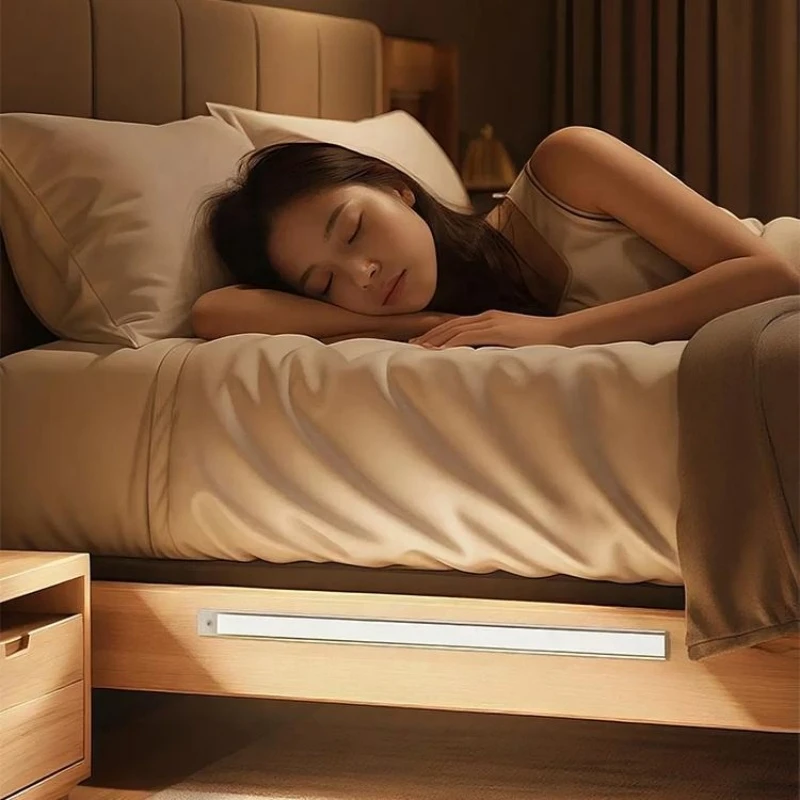
A practical tip: Brighter isn't always better for cabinet lighting. While you need sufficient brightness on countertops to see ingredients clearly, a lower brightness setting is often more comfortable for tasks like getting a glass of water at night or opening the refrigerator-and it's less likely to disturb others.
Still not satisfied with the lighting after adjustments? Troubleshooting common issues
If the lighting still doesn't seem right after you've adjusted the settings, consider checking the following:
Delay settings not taking effect: Some products reset the timer whenever motion is detected, meaning the light may stay on longer than the configured duration.
Poor motion detection: Issues such as installing the unit too high, using an improper angle, or having the sensor obstructed by the edge of a cabinet can interfere with triggering.
Insufficient brightness: For battery-powered models, brightness often drops significantly when the battery is low; try replacing the batteries or fully charging the unit before re-evaluating.
Light fails to turn on during the day or turns on unexpectedly at night: This is usually related to the ambient light threshold. Check whether the light-sensing (daylight) feature is enabled and ensure the sensor isn't being blocked.
Flickering lights: This is likely due to an incompatible power adapter or a poor electrical connection, rather than an issue with your brightness or delay settings.
Conclusion
Returning to the initial question: Can the delay time and brightness of motion-sensor cabinet lights be adjusted? Yes, though it depends on the specific model. Delay settings are typically adjusted via knobs, buttons, or a remote control, while brightness is usually controlled through preset levels-though high-end models may offer stepless dimming. When making a selection, don't just look for "motion-sensing capability"; consider whether the adjustment methods suit your installation location and whether the technical specifications align with your intended use case.
If you are sourcing motion-sensor cabinet lights for your brand, retail store, or project, we offer customization options-including various delay settings, brightness configurations, and exterior designs-tailored to your target market. We can also provide samples for your testing. Please feel free to leave a message or send an inquiry with details about your application and the required quantity; we will promptly provide a suitable solution and a formal quote.
Our address
No. 5-3 Niujiao Road, Yanchuan Community, Yanluo Subdistrict, Bao'an District, Shenzhen
bwzm18@ledbenweilighting.com